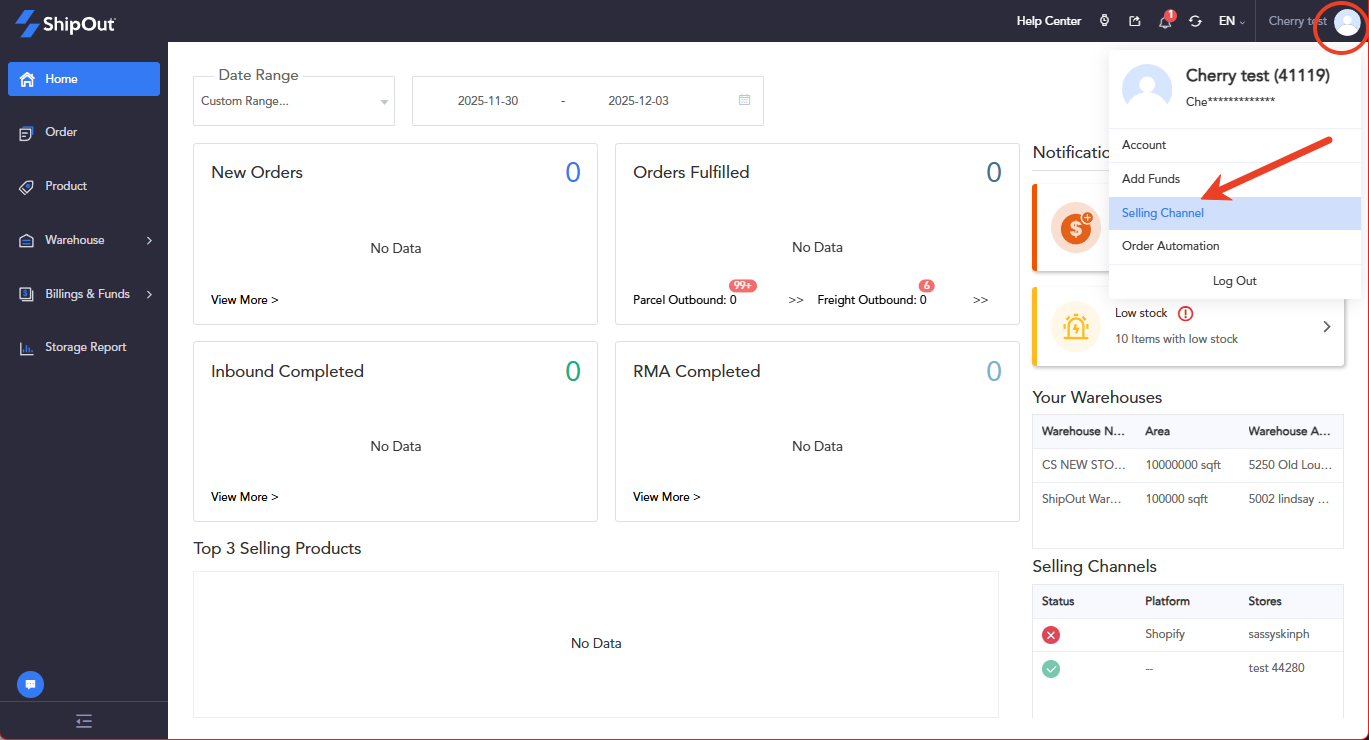
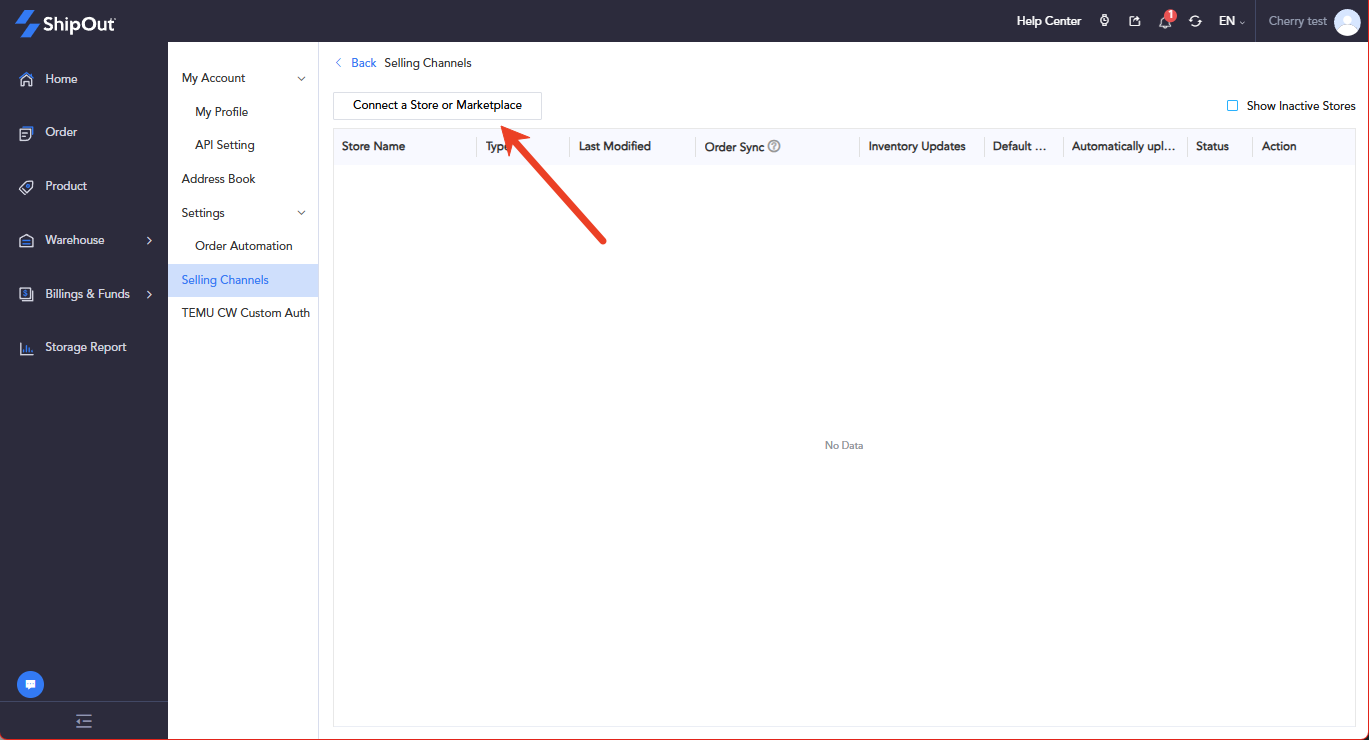
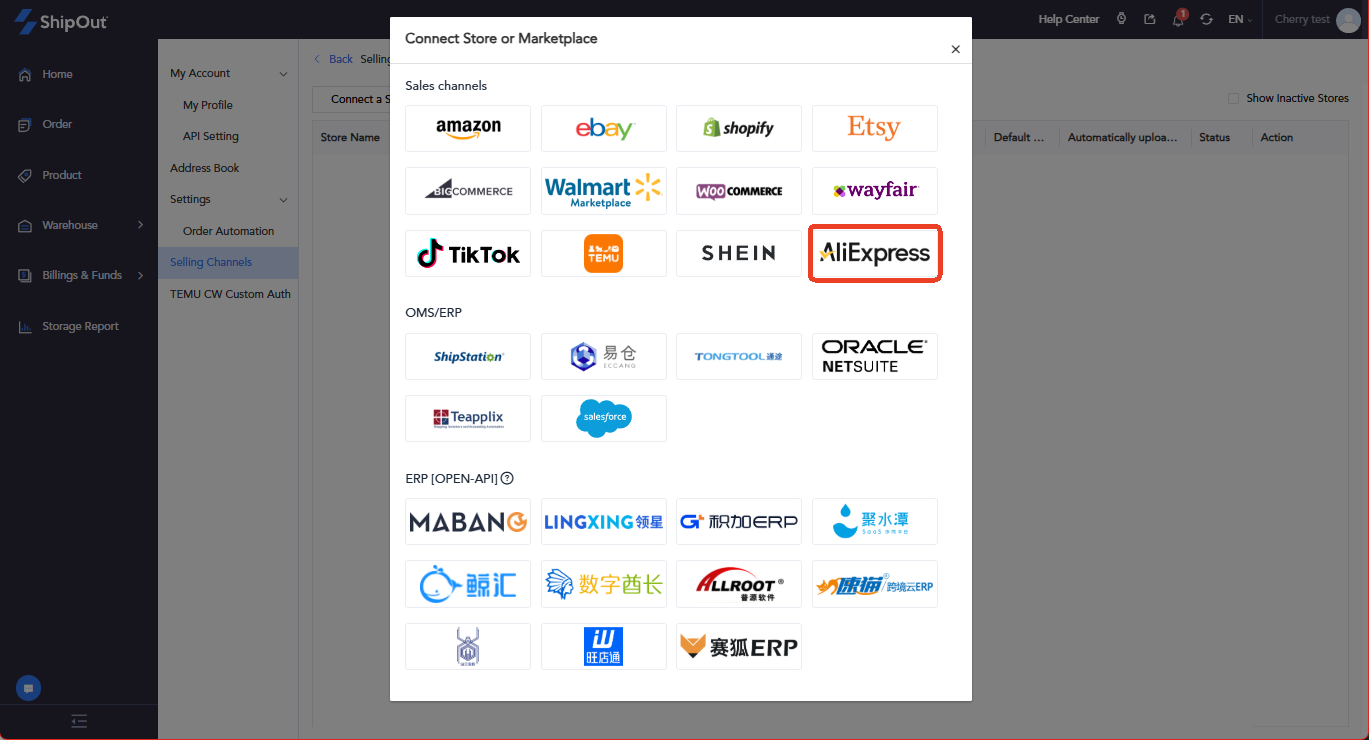
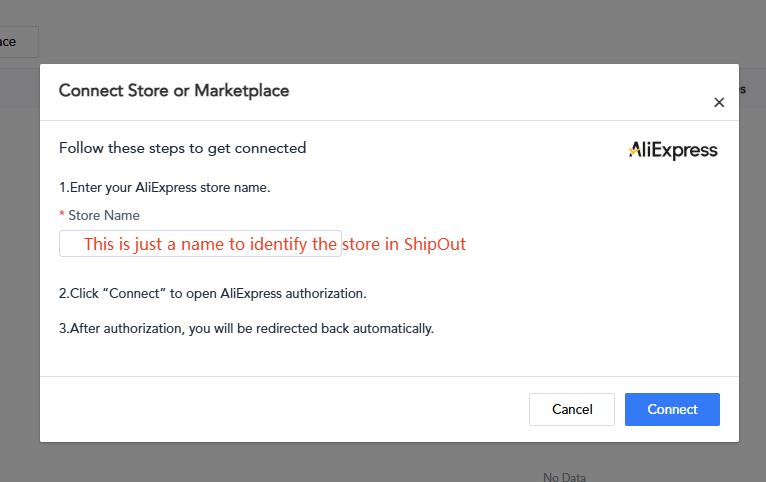
How to Link Your AliExpress Account on ShipOut? I. Log In to OMS and Authorize Your AliExpress Store Log in to your OMS account: https://oms.shipout.comClick your profile picture (top-right corner).Select Selling Channel 4. Click Connect a Store or Marketplace. 5. Choose the AliExpress logo. 6. Enter your Store Name (this is customizable—used only to identify the store inside ShipOut).7. Click Connect — you will be redirected to the AliExpress authorization page.8. Complete the authorization.9. After successful authorization, the system will automatically send you back to the OMS dashboard. II. Set Up the Mapping Between AliExpress and ShipOut OMS After the store is authorized, you must map your AliExpress store information to OMS.Click the guide link: “How to Map Store Aliases” Follow the steps shown in the mapping tutorial. Still stuck? How can we help? Was this page helpful? Yes No How can we help? Send